
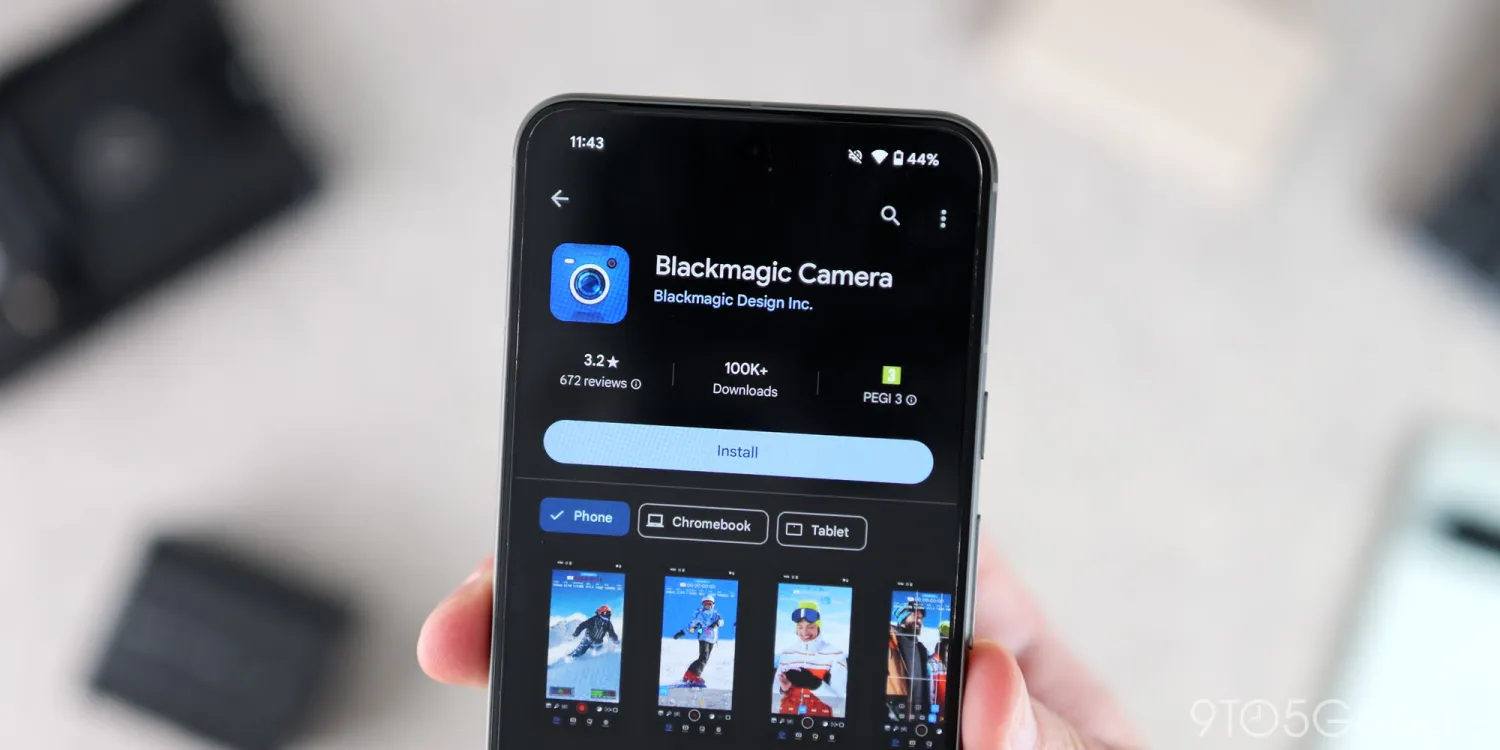
Blackmagic Camera 1.2: Now Supports Google Pixel 9 Series

Blackmagic Camera 1.2: Now Supports Google Pixel 9 Series

User avatar placeholder
Written by muazam13797

September 3, 2024

Blackmagic Camera 1.2 Update: Now Supports Google Pixel 9 Series

The latest Blackmagic Camera 1.2 update brings exciting news for Google Pixel 9 users, as it now fully supports the Pixel 9, 9 Pro, and 9 Pro XL models. This update not only enhances the functionality of these devices but also addresses critical stability, orientation, and display issues that users have been experiencing.

What’s New in Blackmagic Camera 1.2?

The Blackmagic Camera app, known for its professional-grade video capabilities, has just rolled out its 1.2 update, which is a game-changer for owners of the Google Pixel 9 series. Here’s what you can expect from this update:

1. Full Support for Google Pixel 9 Series:
The most significant highlight of the 1.2 update is the addition of support for the latest Google Pixel 9, Pixel 9 Pro, and Pixel 9 Pro XL. This means users can now leverage the powerful camera hardware of these devices with the advanced features of the Blackmagic Camera app, offering an unparalleled mobile filmmaking experience.

2. Stability Improvements:
Users of previous versions of the app reported occasional crashes and performance hiccups. The 1.2 update addresses these issues, providing a smoother and more reliable experience, especially during extended shooting sessions.

3. Orientation Fixes:
One of the common complaints was related to orientation issues, particularly when switching between landscape and portrait modes. The update fixes these bugs, ensuring seamless transitions and accurate orientation detection.

4. Display Enhancements:
The update also brings improvements to how the app interacts with the display on Pixel 9 devices. Expect better responsiveness and a more intuitive user interface that takes full advantage of the Pixel 9 series’ vibrant displays.

Why This Update Matters for Pixel 9 Users

For content creators and mobile filmmakers, the Pixel 9 series paired with the Blackmagic Camera app offers an incredible toolset. The integration of Blackmagic’s advanced video recording features with the Pixel 9’s camera technology means users can shoot professional-quality videos directly from their smartphones. The update makes this combination more robust, addressing key issues that previously hindered performance.

With Google’s continuous improvements to the Pixel lineup and Blackmagic’s commitment to enhancing its app, the future of mobile video production looks bright. Whether you’re a professional videographer or an enthusiast looking to push the boundaries of what’s possible with a smartphone, this update is worth downloading.

How to Get the Update

The Blackmagic Camera 1.2 update is now available on the Google Play Store. Simply visit the Play Store, search for Blackmagic Camera, and tap “Update” to install the latest version.

Image placeholder

Lorem ipsum amet elit morbi dolor tortor. Vivamus eget mollis nostra ullam corper. Pharetra torquent auctor metus felis nibh velit. Natoque tellus semper taciti nostra. Semper pharetra montes habitant congue integer magnis.

Back to blog Android, Information, Mobile, News, Phones, Tech

Blackmagic Camera 1.2: Now Supports Google Pixel 9 Series

muazam13797
September 03, 2024
No comments
Blackmagic Camera 1.2: Now Supports Google Pixel 9 Series

Blackmagic Camera 1.2 Update: Now Supports Google Pixel 9 Series

The latest Blackmagic Camera 1.2 update brings exciting news for Google Pixel 9 users, as it now fully supports the Pixel 9, 9 Pro, and 9 Pro XL models. This update not only enhances the functionality of these devices but also addresses critical stability, orientation, and display issues that users have been experiencing.

What’s New in Blackmagic Camera 1.2?

The Blackmagic Camera app, known for its professional-grade video capabilities, has just rolled out its 1.2 update, which is a game-changer for owners of the Google Pixel 9 series. Here’s what you can expect from this update:

1. Full Support for Google Pixel 9 Series:
The most significant highlight of the 1.2 update is the addition of support for the latest Google Pixel 9, Pixel 9 Pro, and Pixel 9 Pro XL. This means users can now leverage the powerful camera hardware of these devices with the advanced features of the Blackmagic Camera app, offering an unparalleled mobile filmmaking experience.

2. Stability Improvements:
Users of previous versions of the app reported occasional crashes and performance hiccups. The 1.2 update addresses these issues, providing a smoother and more reliable experience, especially during extended shooting sessions.

3. Orientation Fixes:
One of the common complaints was related to orientation issues, particularly when switching between landscape and portrait modes. The update fixes these bugs, ensuring seamless transitions and accurate orientation detection.

4. Display Enhancements:
The update also brings improvements to how the app interacts with the display on Pixel 9 devices. Expect better responsiveness and a more intuitive user interface that takes full advantage of the Pixel 9 series’ vibrant displays.

Why This Update Matters for Pixel 9 Users

For content creators and mobile filmmakers, the Pixel 9 series paired with the Blackmagic Camera app offers an incredible toolset. The integration of Blackmagic’s advanced video recording features with the Pixel 9’s camera technology means users can shoot professional-quality videos directly from their smartphones. The update makes this combination more robust, addressing key issues that previously hindered performance.

With Google’s continuous improvements to the Pixel lineup and Blackmagic’s commitment to enhancing its app, the future of mobile video production looks bright. Whether you’re a professional videographer or an enthusiast looking to push the boundaries of what’s possible with a smartphone, this update is worth downloading.

How to Get the Update

The Blackmagic Camera 1.2 update is now available on the Google Play Store. Simply visit the Play Store, search for Blackmagic Camera, and tap “Update” to install the latest version.

Written By

muazam13797

Read full bio

Join the Inner Circle

Get exclusive DIY tips, free printables, and weekly inspiration delivered straight to your inbox. No spam, just love.

Your email address Subscribe
Unsubscribe at any time. * Replace this mock form with your preferred form plugin

Leave a Comment